
Grid Basics · Updated November 2026
Brownout vs Blackout: What’s the Difference?
The short answer
- Brownout
- The power stays on, but at a lower voltage than normal for longer than a momentary dip. Lights dim and motors strain. Grid operators also cut voltage on purpose to lower demand: PJM ordered a 5% voltage reduction near Baltimore in August 2025 [6][7].
- Blackout
- The power is off. A rolling blackout is a planned one that grid operators rotate between neighborhoods when demand outruns supply [10][8].
- What “normal” is
- On a 120 V circuit, ANSI C84.1 Range A keeps service voltage between 114 and 126 V most of the time [1][2][3].
- Protection
- A UPS with automatic voltage regulation (AVR) handles a brownout without using its battery. Battery backup handles the blackout. A surge protector does neither [13][5].
Jump to the side-by-side table, what low voltage does to appliances or how to protect your gear.
As an Amazon Associate, SolarGenAdvisor earns from qualifying purchases made through links on this page, at no additional cost to you.
 By
Brownout vs Blackout at a Glance
The difference is voltage. In a brownout the voltage drops but stays above zero, so some things keep working and some misbehave. In a blackout it falls to zero. Utilities’ power-quality tables, which follow IEEE 1159, call a drop that lasts longer than a minute a sustained undervoltage (about 80–90% of normal) and a loss of power for longer than a minute a sustained interruption [4]. Those are the engineering names for a brownout and a blackout.
| Brownout | Rolling blackout | Blackout | |
|---|---|---|---|
| Voltage on a 120 V circuit | Below normal but not zero. A 5% utility reduction is about 114 V (our arithmetic) [6]; a sustained undervoltage is about 96–108 V [4] | Zero in your block for the rotation, normal elsewhere [10] | Zero [4] |
| How long | Minutes to hours; PJM’s 2025 reduction was scheduled for 3:00–5:15 p.m. [7] | California, Aug 2020: 8 to about 150 minutes per area [10] | Seconds to days; ERCOT’s Feb 2021 load shed spanned nearly three days [8] |
| Typical causes | Deliberate voltage reduction in an emergency; high demand, large motors starting, trees touching lines, long heavily loaded feeders [6][5] | Demand exceeds available supply, so the grid operator orders firm load shed [8][11] | Faults from storms, trees, vehicles and lightning; equipment failure; load shed [4] |
| What you notice | Dim lights, slow or humming motors, electronics that reset [5] | Power off for a set rotation, then back on | Everything off |
| Main risk | Heat and wear in motors: fridges, freezers, pumps, heat pumps [5][12] | Spoiled food, lost work, surges when power returns [21] | Food, heat, medical devices, CO from generators used wrongly [21][24] |
| What protects you | Line-interactive UPS with AVR; turn off motors you don’t need [13][20] | UPS for the router and PC; power station for hours | Battery backup or a generator used outdoors |
The 96–108 V range is our arithmetic on the 0.8–0.9 per-unit sustained-undervoltage band in PacifiCorp’s IEEE 1159-based table, applied to 120 V. Utilities use the word “brownout” loosely: Petersburg Municipal Power & Light, for example, also calls brief voltage sags brownouts [5].
Brownout Meaning: Low Voltage, Not No Voltage
You will run into two kinds of brownout.
1. A deliberate voltage reduction
When supply is short, a grid operator can tell utilities to lower distribution voltage a few percent, which trims demand without cutting anyone off. On August 11, 2025, PJM issued a 5% Voltage Reduction Action for the Baltimore area to “further reduce demand on the system,” and estimated it yielded about 60 MW of relief; it still had to order a 28-minute, roughly 20 MW load shed that affected about 4,000 customers [6][7]. PJM now runs voltage reduction tests twice a year to learn how much relief the step gives [7]. A 5% cut from 120 V is 114 V, the bottom of ANSI service Range A (our arithmetic) and above the 108 V utilization limit that equipment is meant to handle fully [1].
2. A local sustained undervoltage
More often, a brownout is local. A small utility in Alaska lists the usual causes: high demand, large electric motors starting, birds or trees contacting overhead lines, and long or heavily loaded feeders. It explains that a tree touching a wet line can leak current to ground without tripping protection, so the circuit stays on at reduced voltage, with dimming lights and slowed motors [5]. If only your home has low voltage, or some rooms work and others don’t, the problem may be on your side of the meter (a loose connection or a wiring fault), so call your utility; PacifiCorp lists loose connections as the most common customer-side cause of voltage problems [4].
What counts as “low”
The U.S. benchmark is ANSI C84.1. For a 120 V service, utilities aim to keep voltage at your meter within Range A, 114–126 V, with excursions into Range B, 110–127 V, kept limited in extent, frequency and duration [1][2][3]. These limits apply to sustained voltage, which PG&E describes as usually more than two minutes, not to momentary dips from switching or motor starts [2]. Below Range B, PacifiCorp says utilization equipment “may not operate satisfactorily,” and protective devices may need to operate [1]. Some states set their own tolerance, so check your utility’s tariff for the exact rule where you live.
Rolling Blackouts and Load Shed
A rolling (or rotating) blackout is a controlled outage. When demand outruns the generation available, the grid operator orders utilities to drop a set amount of “firm load,” and the utilities rotate which circuits are off so no area stays dark too long [10]. It is not a brownout: the voltage in your block goes to zero for the rotation. Two recent U.S. examples show how different they can be:
- California, August 14–15, 2020 (CAISO). During a West-wide heat wave, CAISO ordered rotating outages for the first time in twenty years. They reached 491,600 customers on August 14 for 15 to about 150 minutes, and 321,000 on August 15 for 8 to about 90 minutes, depending on the utility [10][11]. The final root-cause report blamed extreme heat, resource planning that had not kept pace, and some market practices [11].
- Texas, February 2021 (ERCOT). Winter Storm Uri knocked out so much generation that ERCOT ordered firm load shed for nearly three consecutive days, 20,000 MW at its worst point. The FERC/NERC inquiry calls the event’s total load shed the largest controlled firm load shed in U.S. history, and found the size and length made the outages hard to rotate [8]. More than 4.5 million homes lost power [9].
The lesson for home backup: a planned rotation in California lasted at most a few hours, while a rotation that cannot rotate becomes a multi-day blackout. Size for the second if you live on a strained grid. Our Texas grid backup guide and California PSPS backup guide cover each state’s outage patterns.
Sags, Surges, Flicker and Blinks
Most of what people call a brownout or a power surge is one of these shorter events. The categories come from PacifiCorp’s power-quality handbook, which derives them from IEEE 1159 [4]; the 120 V figures are our arithmetic.
| Event | How long | Voltage (120 V circuit) | Common causes | What helps |
|---|---|---|---|---|
| Sag (dip) | Half a cycle to 1 minute | 12–108 V (10–90%) | Motor starts, faults nearby being cleared [4] | UPS; AVR for longer sags |
| Brownout (sustained undervoltage) | Over 1 minute | 96–108 V (80–90%) | Overloaded feeders, voltage reduction, partial faults [5] | Line-interactive UPS with AVR, or an online UPS |
| Blink (momentary interruption) | Half a second to 3 seconds | Under 12 V | A breaker clearing a fault and closing again automatically [4] | Any UPS, or a station with UPS mode |
| Blackout (sustained interruption) | Over 1 minute | 0 V | A fault that won’t clear, storm damage, load shed | Battery backup or generator |
| Surge (transient) | Nanoseconds to milliseconds | Spikes up to several thousand volts | Lightning, utility and capacitor switching, motors and HVAC in the building [18][4] | UL 1449 surge protector |
| Swell / overvoltage | Half a cycle to over 1 minute | 132–144 V and up (110–120%+) | Faults on another phase, capacitor switching [4] | AVR (trim), surge protector for spikes |
| Flicker | Intermittent, repeating | Small swings, 0.1–20% | Fluctuating loads such as large motors or welders [4] | Usually a wiring or utility fix; report it |
Utilities say these short events are normal and can’t be engineered away entirely; PacifiCorp recommends customers protect sensitive equipment themselves, including with surge protective devices [4]. Computer makers design around them too: the ITIC curve that PG&E reproduces shows the voltage envelope typical IT equipment is expected to ride through, with deeper dips allowed only for shorter times [2].
Can a Brownout Damage Appliances?
Short brownouts rarely hurt electronics. Long or repeated ones are hard on motors. That is the summary from Petersburg Municipal Power & Light, which names refrigerators, freezers, pumps and heat pumps as the motors that heat up and wear [5].
Motors and compressors
A motor still has to deliver the same work at lower voltage, so it draws more current. DOE’s motor tip sheet says motors are designed to run within ±10% of their nameplate voltage. At 90% of nameplate (about 108 V on a 120 V motor), its IEEE-based table shows full-load current up 5–10%, starting and running torque down 19% and efficiency down 1–3%. DOE says the higher current raises winding losses and can cause overheating at rated load, and the lower torque makes it harder for a motor to start or push through a brief overload without stalling [12]. PG&E cites the same ±10% NEMA guideline for appliances and motors [2]. That is why compressors in fridges, freezers and air conditioners, and well pumps, are the loads to protect, and why one cooperative told members to turn off well pumps and appliances if dimming returned [20].
Electronics
Petersburg’s utility says short brownouts are usually not harmful to electronics [5], but a deep or long sag can make a computer reset or shut down, which is how you lose unsaved work or corrupt a drive. The ITIC curve, which PG&E reproduces, is the industry benchmark for how far and how long voltage can dip before IT equipment is expected to drop out [2]. For a desktop PC, a NAS or a router, the practical fix is a UPS (below).
The surge when power comes back
After a blackout, the moment of restoration is its own risk. Ready.gov warns that power may return with momentary surges or spikes and advises disconnecting appliances and electronics during an outage [21], and SDG&E advises unplugging TVs and electronics and leaving one light on so you know when power is back [25].
How to Protect Against Brownouts
Match the tool to the event. Only one device type handles both a brownout and a blackout: a UPS that regulates voltage.
1. A line-interactive UPS with AVR
Automatic voltage regulation boosts low input voltage and trims high voltage, so the UPS keeps delivering a regulated output without switching to its battery during moderate sags and swells; it only goes to battery when the voltage falls outside its AVR range or the power fails [13][14]. That saves the battery for the blackout. Petersburg’s utility recommends exactly this for sensitive electronics in a brownout-prone area [5]. AVR ranges differ by model, so check the manual for the input window [13]. A basic standby UPS has no AVR and switches to battery for every sag outside its range [15].
2. An online (double-conversion) UPS for sensitive loads
An online UPS runs every watt through its inverter all the time, so the output is regenerated rather than corrected and there is no transfer time [15][16]. PacifiCorp suggests an on-line UPS for equipment upset by electrical noise [4]. For a typical home office, a line-interactive AVR unit is the usual choice. Our power station vs UPS guide explains the three UPS types in more detail.
3. Surge protectors: for spikes, not brownouts
A surge protector clamps brief overvoltage spikes. UL 1449, the U.S. standard for surge protective devices, covers devices for “repeated limiting of transient voltage surges” [17]. It does nothing for low voltage: “Surge protectors are designed to protect against high-voltage events and do not prevent or correct low-voltage conditions like brownouts,” in Petersburg’s words [5]. When you buy one:
- Look for the UL 1449 listing on the device itself, not just a claim in the product literature. Some power strips are listed only as extension cords and have no surge components [18][19].
- Clamping voltage: lower is better. UL ratings come in levels of 330, 400 and 500 V; NMSU says above 400 V is generally too high, and PG&E calls 400 V adequate on a 120 V circuit [19][18].
- Replace it after big surges. The MOVs inside wear out with each surge, and many strips keep passing power after the protection is gone, so pick one with an indicator light [18][19].
Most UPS units include surge protection too; the three below list 1,080–1,500 joules in our product data from the makers’ spec sheets.
4. Unplug or switch off during a brownout
If the lights are dim and staying dim, turn off motor loads you can live without (well pump, air conditioner, dryer, power tools) and unplug computers and expensive electronics that are not on a UPS, as Arrowhead Electric Cooperative advised its members [20]. Fridges and freezers are a judgment call: food needs them, but they are the motors most exposed to a long brownout [5]. If it lasts more than a short while, call your utility.
5. A power station with UPS mode, for hours
A portable power station’s “UPS mode” passes wall power through and switches to its battery when the grid drops. The makers state switchover times of 10 to 20 ms for the three below [32][33][35]. That is a fast transfer switch, not voltage regulation: none of the three product pages we checked publishes an AVR spec or the input voltage at which UPS mode switches over in a brownout, so don’t count on one to correct low voltage. Its strength is the blackout: a 1–3 kWh LiFePO4 battery gives hours where a lead-acid desktop UPS gives minutes. For a desktop PC, the robust setup is a line-interactive AVR UPS plugged into the power station. For phones, lights and a CPAP, see our guide to portable chargers for a power outage.
Best Protection for Brownouts and Blackouts
Grouped by job: UPS units for brownouts and short outages, power stations for long blackouts. Specs come from our product database, cross-checked against the makers’ pages cited on each card; switchover and runtime figures are maker-stated. UPS units and power stations are scored on separate rubrics in our scoring, so compare scores within a group. All were in stock on Amazon at our last check (Nov 15, 2026). Full UPS comparisons are in our best UPS battery backup guide.
UPS units: brownouts and short blackouts
AVR + Sine Wave: Desktop PCs

CyberPower CP1500PFCLCD PFC Sinewave UPS (1500VA/1000W) · Our score 89/100 (UPS rubric)
Line-interactive · AVR · Pure sine on battery · transfer 4 ms typical · 1,445 J · 24.9 lb [27]
Runtime, half load: 10 min (CyberPower) · full load: 2.5 min (CyberPower)
A line-interactive UPS with AVR, so it boosts a sagging line back toward 120 V without touching the battery, and its battery output is a sine wave that CyberPower lists as compatible with active-PFC computer power supplies. It is the one we would put behind a desktop PC in a brownout-prone area.
Skip it if: You need hours of backup. Like any desktop lead-acid UPS, it gives minutes on battery.
APC AVR + Sine Wave

APC Back-UPS Pro BR1500MS2 Sine Wave UPS (1500VA/900W) · Our score 80/100 (UPS rubric)
Line-interactive · AVR · Pure sine on battery · transfer 8 ms typical, 10 ms max · 1,080 J · 27.6 lb [29]
Runtime, half load: 12-14.5 min at 450W (retailer spec tables differ) · full load: 3-4.1 min at 900W (retailer spec tables differ) · 100 W: 73 min (APC Amazon listing)
APC’s line-interactive Back-UPS Pro with AVR and sine-wave battery output. APC rates it at up to 73 minutes at a 100 W load, a long bridge for a router, modem and laptop dock through a blackout.
Skip it if: You want the most watts per dollar, or a battery warranty longer than APC’s one year.
Value AVR UPS

CyberPower CP1500AVRLCD3 Intelligent LCD UPS (1500VA/900W) · Our score 78/100 (UPS rubric)
Line-interactive · AVR · Simulated sine on battery · transfer 4 ms typical · 1,500 J · 23.8 lb [28]
Runtime, half load: 12 min (CyberPower) · full load: 3 min (CyberPower)
The same 1500VA line-interactive design with AVR, six battery-backed outlets and Ethernet and coax surge protection, at the lowest cost per watt in our UPS group. AVR does the brownout work; the battery covers the blackout.
Skip it if: Your PC has an active-PFC power supply: its battery output is a simulated sine, and CyberPower points those PCs to its sine-wave models.
Router-Only Standby UPS
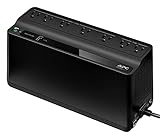
APC Back-UPS BE600M1 (600VA/330W)
Standby · No AVR · Simulated (stepped approximation) on battery · transfer 6 ms typical, 10 ms max · 490 J · 7.69 lb [30][15]
Runtime, half load: ~11.8 min at 165W (retailer spec tables) · full load: ~3.2 min at 330W (retailer spec tables) · 100 W: 23 min (APC Amazon listing)
A small 600VA/330W standby UPS. A standby design has no voltage regulation, so when the voltage sags below its range it switches to battery rather than boosting the line. That is fine for a router and modem where blackouts are the main problem.
Skip it if: Brownouts are common where you live: every long sag uses battery, which a line-interactive AVR unit above would avoid.
Power stations with UPS mode: long blackouts
The 0.85 is our planning allowance for inverter losses, not a measured figure. 100 W is roughly a router, modem, laptop and a couple of LED lights; check your own loads with our VA to watts converter if a label lists VA.
Fastest Switchover: 10 ms
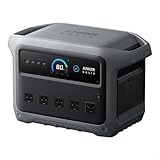
Anker SOLIX C1000 Gen 2 · Our score 92/100
1,024 Wh · 2,000 W continuous · 3,000 W surge · UPS switchover 10 ms (Anker) · 24.9 lb · LiFePO4 [31][32]
By our math: ~8.7 h at 100 W, ~1.7 h at 500 W
Price on Amazon: $469.99
Anker states a 10 ms switchover on all AC outlets. It turns a blackout into hours instead of minutes for a home office or a fridge, and at 24.9 lb it is the easiest of the three to move.
Skip it if: You need to run a whole kitchen; 1 kWh covers essentials, not everything.
Twice the Battery: 2 kWh

Jackery Explorer 2000 v2 · Our score 87/100
2,042 Wh · 2,200 W continuous · 4,400 W surge · UPS switchover 20 ms or less (Jackery) · 39.5 lb · LiFePO4 [33][34]
By our math: ~17 h at 100 W, ~3.5 h at 500 W
Price on Amazon: $999.00
About twice the battery of the C1000 Gen 2 at 39.5 lb, with a 4,400 W surge rating for a fridge or freezer compressor start.
Skip it if: You want to recharge fast from solar: it accepts the least solar input of the three.
Long Rolling Blackouts: 3 kWh

Jackery HomePower 3000 · Our score 87/100
3,072 Wh · 3,600 W continuous · 7,200 W surge · UPS switchover 20 ms or less (Jackery) · 59.5 lb · LiFePO4 [35][36]
By our math: ~26 h at 100 W, ~5.2 h at 500 W
3 kWh and 3,600 W of output with transfer-switch support, for a multi-hour rolling outage or a multi-day blackout like Texas in February 2021.
Skip it if: You need to carry it often (59.5 lb) or want to add batteries later; it cannot be expanded.
Side by side
| Product | Brownout | Switchover (maker) | Backup time | Price | Link |
|---|---|---|---|---|---|
| CyberPower CP1500PFCLCD PFC Sinewave UPS (1500VA/1000W) | AVR corrects it without battery | 4 ms typical | Half load: 10 min (CyberPower) | Check price at Amazon → | View on Amazon → |
| APC Back-UPS Pro BR1500MS2 Sine Wave UPS (1500VA/900W) | AVR corrects it without battery | 8 ms typical, 10 ms max | Half load: 12-14.5 min at 450W (retailer spec tables differ) | Check price at Amazon → | View on Amazon → |
| CyberPower CP1500AVRLCD3 Intelligent LCD UPS (1500VA/900W) | AVR corrects it without battery | 4 ms typical | Half load: 12 min (CyberPower) | Check price at Amazon → | View on Amazon → |
| APC Back-UPS BE600M1 (600VA/330W) | Goes to battery | 6 ms typical, 10 ms max | Half load: ~11.8 min at 165W (retailer spec tables) | Check price at Amazon → | View on Amazon → |
| Anker SOLIX C1000 Gen 2 | No published AVR | 10 ms (Anker) | ~8.7 h at 100 W | $469.99 | View on Amazon → |
| Jackery Explorer 2000 v2 | No published AVR | 20 ms or less (Jackery) | ~17 h at 100 W | $999.00 | View on Amazon → |
| Jackery HomePower 3000 | No published AVR | 20 ms or less (Jackery) | ~26 h at 100 W | Check price at Amazon → | View on Amazon → |
UPS runtimes are the makers’ published figures; station hours are our estimates from rated capacity. “No published AVR” means the maker pages we checked list a UPS switchover time but no voltage-regulation spec. These are estimates, not test results.
What to Do During a Brownout or Blackout
During a brownout
- Turn off motor loads you don’t need, such as a well pump, AC or dryer, and unplug computers and costly electronics that aren’t on a UPS [20][5].
- If only your home is affected, or some outlets work and others don’t, call your utility or an electrician; it can be a loose connection rather than the grid [4].
- Be ready for a blackout too. In Baltimore in 2025, PJM’s voltage reduction came the same afternoon as a load shed [6], so charge phones and power banks while you can.
During a blackout or rolling blackout
- Report it. Contact your utility to report the outage [26].
- Disconnect electronics so the restoration surge can’t reach them, and leave one light on so you know when power returns [21][25].
- Keep the fridge and freezer closed. Ready.gov says a fridge keeps food cold for about 4 hours and a full freezer about 48 [21]; our guide to how long food lasts without power covers what to keep or toss.
- Use flashlights, not candles, and never touch a fallen power line [22].
Generator carbon monoxide safety
CPSC says nearly 100 people die in the U.S. each year from carbon monoxide from portable generators. Never run one inside a home, garage, basement, crawlspace or shed, even with doors open; run it outdoors at least 20 feet from the house and away from windows, doors and vents, and use battery or battery-backup CO alarms [24][23][21]. A battery power station produces no exhaust, which is why it can run indoors. Our battery backup vs generator guide compares the two, and our CO detector picks cover the alarms.
Want the full checklist? Our power outage kit lists what to have ready before the next one.
Verdict: Regulate the Brownout, Store for the Blackout
A brownout is low voltage and a blackout is none; a rolling blackout is a blackout taken in turns. Low voltage mostly threatens motors, so switch off the ones you don’t need when the lights dim. For electronics, a line-interactive UPS with AVR is the one device that fixes the brownout without touching its battery and still covers a short blackout. The CyberPower CP1500PFCLCD PFC Sinewave UPS (1500VA/1000W) (our score 89/100) is the one we would put behind a desktop PC. It pairs AVR with sine-wave battery output. For blackouts that last hours, add a power station: the Anker SOLIX C1000 Gen 2 (92/100) has the fastest maker-stated switchover of the three here, 10 ms. A surge protector is still worth having for spikes, but it does nothing in a brownout.
Brownout vs Blackout FAQ
What is the difference between a brownout and a blackout?
A brownout is a drop in voltage that lasts longer than a momentary dip: the power stays on, but weaker, so lights dim and motors strain. A blackout is a complete loss of power. In utility power-quality terms based on IEEE 1159, a brownout is a sustained undervoltage (about 80 to 90% of normal for more than a minute) and a blackout is a sustained interruption.
What does brown out mean?
To brown out means the grid delivers power at reduced voltage instead of cutting it off. It happens two ways: a grid operator deliberately lowers voltage a few percent to cut demand in an emergency, as PJM did with a 5% voltage reduction near Baltimore in August 2025, or voltage sags locally because of high demand, large motors starting, trees touching lines or an overloaded feeder.
What voltage is considered a brownout?
On a 120 V circuit, ANSI C84.1 Range A keeps service voltage between 114 and 126 V most of the time, and Range B allows 110 to 127 V for limited periods. Voltage that stays below about 108 V (90%) for more than a minute counts as a sustained undervoltage in IEEE 1159-based utility tables. There is no single legal brownout threshold; check your utility's tariff.
Is a rolling blackout the same as a brownout?
No. A rolling blackout is a controlled outage: the grid operator orders utilities to shed load and they rotate which areas lose power completely. A brownout keeps everyone on at lower voltage. California's August 2020 rotating outages reached 491,600 customers on August 14 for 15 to about 150 minutes; Texas in February 2021 saw ERCOT shed up to 20,000 MW over nearly three days.
Can a brownout damage appliances?
Long or repeated brownouts can. Motors draw more current at low voltage: DOE's motor tip sheet shows full-load current up 5 to 10% and torque down 19% at 90% of nameplate voltage, which raises heat and makes starting harder. Fridges, freezers, pumps and heat pumps are the most exposed. Short brownouts are usually not harmful to electronics, though a deep sag can make a computer reset.
Does a surge protector protect against brownouts?
No. A surge protector clamps brief high-voltage spikes from lightning or switching; it does not raise low voltage. For brownouts you need a UPS with automatic voltage regulation (AVR) or an online UPS. A surge protector is still worth having for spikes: look for a UL 1449 listing on the device and a clamping voltage of 400 V or lower.
What is the best protection against brownouts?
A line-interactive UPS with AVR for computers and network gear. AVR boosts low voltage back toward normal without using the battery, so the battery is saved for a blackout. Examples are 1500VA units such as the CyberPower CP1500PFCLCD and CP1500AVRLCD3 or the APC BR1500MS2. For sensitive equipment, an online double-conversion UPS regulates continuously with no transfer time.
Will a power station's UPS mode protect against a brownout?
Don't count on it. A power station's UPS mode is a fast switch to battery when grid power drops; makers state 10 ms for the Anker SOLIX C1000 Gen 2 and 20 ms or less for the Jackery Explorer 2000 v2 and HomePower 3000. The product pages we checked list no voltage-regulation spec or brownout threshold. For a desktop PC, plug a line-interactive AVR UPS into the power station.
Should I unplug things during a brownout?
Turn off motor loads you don't need, such as a well pump, air conditioner or dryer, and unplug computers and expensive electronics that are not on a UPS. During a blackout, disconnect electronics too, because power can return with a surge, and leave one light on so you know when it is back. Never run a generator indoors; keep it outside at least 20 feet from the house.
Sources
Voltage ranges come from utilities’ published ANSI C84.1 tables; disturbance categories from a utility handbook based on IEEE 1159; grid events from FERC/NERC, PJM, the California Legislature and the CPUC; motor effects from DOE; protection guidance from UPS makers, utilities and safety agencies, as cited. Voltage arithmetic and runtimes are ours. Product specs come from our product database, cross-checked against the listings below; scores are AI-synthesized from specs, logged Amazon prices and Amazon customer reviews in our scoring. Nothing here was measured by us. Last reviewed November 18, 2026.
- PacifiCorp (Pacific Power / Rocky Mountain Power) Engineering Handbook 1C.2.1, Voltage Level and Range (Nov 2024): ANSI C84.1 service voltage Range A 114–126 V and Range B 110–127 V on a 120 V base; utilization Range A down to 108 V
- PG&E, Voltage Tolerance Boundary (July 2018): ANSI C84.1 Range A service voltage is plus or minus 5% (114–126 V); limits apply to sustained levels, usually more than two minutes; NEMA motors ±10% of nameplate; CBEMA/ITIC curve
- LADWP, Power Quality Standards and Guidelines: 120 V service, desirable range 114–126 V, acceptable range 110–127 V (ANSI C84.1)
- PacifiCorp Engineering Handbook 1C.6.1, Voltage Disturbances (Oct 2024): disturbance table derived from IEEE 1159 (sags, swells, interruptions, sustained undervoltage, flicker); causes including motor starts, faults and lightning; recommends customer surge protective devices
- Petersburg Municipal Power & Light (Alaska), Understanding Brownouts on Our Local Electric System: causes, effects on motors, surge protectors do not help with brownouts, UPS with AVR
- PJM Inside Lines, PJM details its actions to minimize the Aug. 11 Baltimore load shed event (5% Voltage Reduction Action, about 60 MW of relief; 28-minute, ~20 MW load shed)
- American Public Power Association, PJM details actions to minimize Aug. 11 Maryland load shed event (5% voltage reduction to reduce demand; twice-yearly voltage reduction tests)
- FERC, NERC and Regional Entity staff, February 2021 Cold Weather Grid Operations: Preliminary Findings and Recommendations (ERCOT firm load shed for nearly three days, 20,000 MW at its worst point; largest controlled firm load shed in U.S. history)
- University of Texas at Austin Energy Institute, The Timeline and Events of the February 2021 Texas Electric Grid Blackouts (loss of power for more than 4.5 million homes)
- California State Senate Committee on Energy, Utilities and Communications, Keeping the Power On, oversight hearing background (Aug 25, 2021): first rotating outages in twenty years; 491,600 customers on Aug 14 and 321,000 on Aug 15, 2020; outages of 8 to about 150 minutes
- CPUC, CAISO, CPUC and CEC issue final report on causes of August 2020 rotating outages (Jan 13, 2021)
- U.S. DOE Advanced Manufacturing Office, Motor Systems Tip Sheet #9, Improve Motor Operation at Off-Design Voltages (Nov 2012): motors designed for ±10% of nameplate voltage; at 90% voltage, full-load current +5% to +10% and torque −19% (IEEE 141 table)
- APC by Schneider Electric FAQ FA158913, What is AVR? (boost and trim; the UPS does not switch to battery during moderately high or low input voltage; ranges differ by model)
- CyberPower, Feature Focus: Automatic Voltage Regulation (corrects high and low voltage without using battery power; switches to battery below the AVR range)
- Schneider Electric/APC White Paper 1, The Different Types of UPS Systems (standby, line-interactive and double-conversion on-line designs)
- CyberPower UPS product catalog (topology descriptions; double-conversion has a zero transfer time)
- Intertek, UL 1449 Standard for Surge Protective Devices: scope (devices for repeated limiting of transient voltage surges on 50/60 Hz circuits up to 1,000 V)
- PG&E, Surge Suppressors (July 2018): causes of surges, MOVs wear out, look for a UL 1449 listing on the device, joules, clamping voltage (400 V adequate on 120 V)
- New Mexico State University Environmental Health & Safety, What to Know About Surge Protectors (UL 1449 levels 330/400/500 V; indicator lights; internal circuit breaker)
- WTIP North Shore Community Radio, Arrowhead Electric Cooperative brownout (Sept 2021): turn off well pumps and appliances and unplug computers if dimming recurs
- Ready.gov (FEMA), Power Outages: disconnect appliances and electronics to avoid damage from surges; generators outdoors at least 20 feet from windows, doors and attached garages; fridge about 4 hours, full freezer about 48
- CDC, What to Do to Protect Yourself During a Power Outage (flashlights rather than candles; never touch a fallen power line; generator at least 20 feet from windows, doors and vents)
- CDC, Carbon Monoxide Poisoning Basics (never use a generator inside a home or garage; battery or battery-backup CO detector)
- CPSC, Winter weather safety tips to prevent fires and carbon monoxide poisoning (2026): nearly 100 U.S. deaths a year from portable-generator CO; generators outside only, at least 20 feet from the house
- SDG&E, Safety during an outage (unplug TVs and electronics; leave one light on to know when power returns)
- Safe Electricity (Energy Education Council), Stay safe during a power outage (contact your electric utility to report the outage)
- CyberPower, CP1500PFCLCD product page (1500VA/1000W, line-interactive, sine wave, AVR)
- CyberPower, CP1500AVRLCD3 product page (1500VA/900W, line-interactive, simulated sine wave, AVR)
- APC, Back-UPS Pro BR1500MS2 datasheet (1500VA/900W, line-interactive, AVR, sine wave)
- APC, Back-UPS BE600M1 datasheet (600VA/330W standby UPS)
- B&H Photo spec listing, Anker SOLIX C1000 Gen 2 (1,024 Wh, 2,000 W continuous, 3,000 W surge)
- Anker SOLIX support, C1000 Gen 2 UPS ports and switchover time (10 ms on all AC outlets)
- Jackery, Explorer 2000 v2 product page (2,042 Wh LiFePO4, 2,200 W output, 4,400 W surge, UPS 20 ms or less)
- The Solar Lab, Jackery Explorer 2000 v2 review
- Jackery, HomePower 3000 product page (3,072 Wh, 3,600 W, 7,200 W surge, UPS 20 ms or less)
- The Solar Lab, Jackery HomePower 3000 review