
Buying Guide · Updated November 2026
Best UPS Battery Backup 2026: Picks for Computers, Routers & Home Offices
The best UPS battery backup for most computers is a 1500VA line-interactive UPS with AVR and sine-wave output. Our top pick is the CyberPower CP1500PFCLCD (1500VA / 1000W), which is safe for active-PFC and gaming PCs. The CyberPower CP1500AVRLCD3 is the value pick for office PCs, and the APC BE600M1 is enough to keep a router and modem online. Expect minutes of runtime, not hours.
As an Amazon Associate, SolarGenAdvisor earns from qualifying purchases made through links on this page, at no additional cost to you. Ratings are AI-synthesized from manufacturer spec sheets and logged Amazon prices; we did not test these UPS units.
 By
Quick Verdict
Size a UPS by watts, not VA, and leave headroom. Buy sine-wave output for gaming and active-PFC desktop PCs; simulated sine is fine for routers, modems and monitors. Plan on about 10 minutes at half load: a UPS buys time to save work and shut down. If you want your internet and laptop running for hours, a power station with UPS mode does that job better.
How We Score UPS Battery Backups
Our power-station matrix doesn't fit desktop UPS units, so these scores use a UPS-specific rubric. Each score is AI-synthesized from APC and CyberPower spec sheets and Amazon prices checked on November 1, 2026. We did not test any UPS, and we don't use Amazon star ratings. Weights total 100:
- Power (25): rated watts, scaled to the 1,000W leader in the group
- Battery waveform (20): sine-wave output on battery scores 90; simulated or stepped sine scores 40
- Value (20): the lowest price per rated watt in the group divided by this unit's
- Protection (15): automatic voltage regulation, network/coax surge ports, and a surge rating of 1,000 joules or more
- Battery & warranty (10): a user-replaceable battery, and whether the warranty covers the battery for the full term
- Features (10): LCD, USB-A and USB-C charging ports
A spec the maker doesn't publish earns no credit. Small router-class units score low on power by design; their pick label reflects the job they suit. UPS scores aren't comparable with our power-station scores.
The 5 Best UPS Battery Backups for Computers and Home Networks
All five are sold and shipped by Amazon. Waveform, outlet counts, runtime and battery details come from the CyberPower product pages and APC datasheets (linked on each card), cross-checked against the Amazon listing. Where a figure isn't published by the maker, we say so.
1. Best Overall & Best for Gaming PCs

CyberPower CP1500PFCLCD PFC Sinewave UPS (1500VA/1000W)
1,500VA / 1,000W · Pure sine on battery · 6 battery + 6 surge-only outlets · Score 89/100
Price: $239.95
The UPS we would put behind most desktop PCs, including gaming rigs. CyberPower rates it at 1500VA / 1000W, the highest watt rating in this group, and its battery output is a true sine wave that CyberPower lists as compatible with active-PFC power supplies (the kind most modern efficient PC power supplies use). It is a line-interactive design with automatic voltage regulation (AVR), so it corrects brownouts without draining the battery. You get six battery-backed outlets, six surge-only outlets, USB-A and USB-C charging ports, a tilting colour LCD and a battery you can swap yourself. CyberPower lists about 10 minutes at half load (500W) and 2.5 minutes at full load: enough to save work and shut down, not to keep gaming through an outage. Spec source.
Pros
- ✓ Sine-wave battery output, listed as Active PFC compatible
- ✓ Highest watt rating here (1,000W)
- ✓ AVR, 6 battery + 6 surge-only outlets, USB-A + USB-C
- ✓ 3-year warranty that includes the battery (CyberPower)
Cons
- ✗ About 25 lb with lead-acid batteries
- ✗ Costs more than the simulated-sine CP1500AVRLCD3
- ✗ 10 minutes at half load, so it is a shutdown bridge, not outage power
2. Best APC Sine Wave UPS

APC Back-UPS Pro BR1500MS2 Sine Wave UPS (1500VA/900W)
1,500VA / 900W · Pure sine on battery · 6 battery + 4 surge-only outlets · Score 80/100
Price: $299.99
If you prefer APC, the Back-UPS Pro BR1500MS2 is its pure sine wave option at this size. APC's datasheet lists 1500VA / 900W, a line-interactive topology with AVR, a "sine wave" output, six battery-backed and four surge-only outlets, an LCD, coax surge protection and a user-replaceable APCRBC163 battery. APC's Amazon listing claims up to 73 minutes at a 100W load, which is useful context for a desk with a laptop dock, monitor and router. Two things cost it points in our scoring: it is the most expensive per watt here, and APC's datasheet lists the warranty as 3 years on the UPS but 12 months on the battery. Spec source.
Pros
- ✓ Sine-wave output with AVR (APC datasheet)
- ✓ Up to 73 minutes at 100W (APC listing)
- ✓ USB-A + USB-C charging, LCD, coax protection
- ✓ User-replaceable APCRBC163 battery
Cons
- ✗ Highest cost per watt in our group
- ✗ Battery warranty is 12 months (UPS 36 months)
- ✗ 27.6 lb, the heaviest pick here
- ✗ Half-load runtime varies by source (12 to 14.5 min)
3. Best Value 1500VA UPS

CyberPower CP1500AVRLCD3 Intelligent LCD UPS (1500VA/900W)
1,500VA / 900W · Simulated sine on battery · 6 battery + 6 surge-only outlets · Score 78/100
Price: $199.95
The lowest cost per watt in our group, with most of the CP1500PFCLCD's features: 1500VA / 900W, AVR, six battery-backed and six surge-only outlets, USB-A and USB-C charging, Ethernet and coax surge protection, a colour LCD and a user-replaceable battery. CyberPower lists 12 minutes at half load and 3 minutes at full load. The trade-off is the waveform. CyberPower's spec sheet lists the on-battery output as a simulated sine wave, which is fine for routers, modems, monitors and many office PCs, but CyberPower itself recommends its sine-wave models for computers with active-PFC power supplies (see below). Spec source.
Pros
- ✓ Lowest cost per watt in our scoring
- ✓ AVR plus Ethernet and coax surge protection
- ✓ 12 min at half load (CyberPower)
- ✓ 3-year warranty that includes the battery
Cons
- ✗ Simulated sine on battery
- ✗ Not the pick for gaming or active-PFC PCs
- ✗ About 24 lb
4. Best for Router & Modem
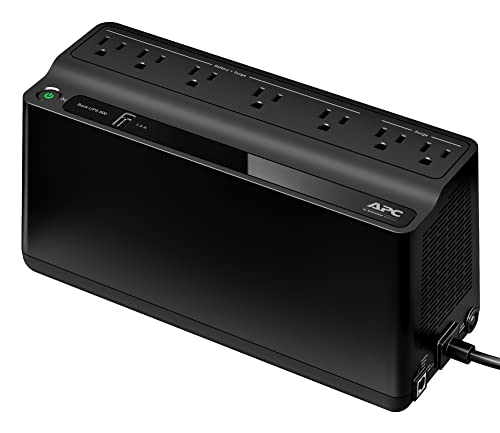
APC Back-UPS BE600M1 (600VA/330W)
600VA / 330W · Simulated (stepped approximation) on battery · 5 battery + 2 surge-only outlets · Score 48/100
Price: $83.99
For keeping Wi-Fi and internet up, you don't need 1500VA. APC's BE600M1 is a 600VA / 330W standby UPS with five battery-backed outlets, two surge-only outlets and a 1.5A USB port that keeps charging a phone during an outage. APC's listing rates it at 23 minutes at a 100W load, and a router plus modem usually draws far less than that, so you get more time (how much more depends on your exact load; APC publishes runtime as a curve). The limits are why it scores low on our rubric: it has no AVR, its datasheet describes the battery output as a "stepped approximation to a sinewave", and at 330W it is too small for most desktop PCs. Spec source.
Pros
- ✓ Low price for a name-brand UPS
- ✓ 5 battery-backed outlets + USB charging
- ✓ 23 min at 100W (APC listing)
- ✓ User-replaceable APCRBC154 battery
Cons
- ✗ Stepped (simulated) sine on battery
- ✗ No voltage regulation (standby design)
- ✗ Too small for gaming or most desktop PCs
- ✗ Battery warranty 12 months (APC datasheet)
5. Compact Pick with LCD
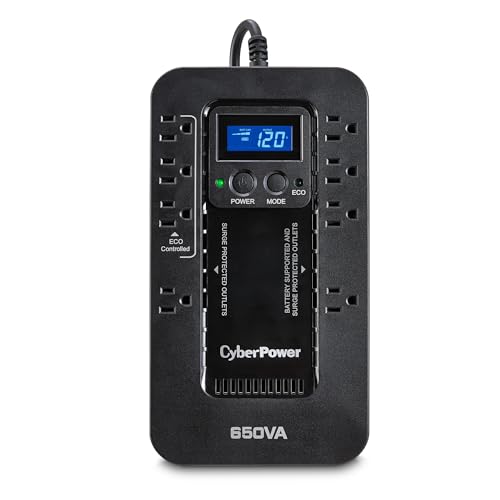
CyberPower EC650LCD Ecologic UPS (650VA/390W)
650VA / 390W · Simulated sine on battery · 4 battery + 4 surge-only outlets · Score 47/100
Price: $96.95
A slim 650VA / 390W standby unit that fits behind a TV or on a shelf next to the router, with a small LCD showing load and battery level. CyberPower lists 8.4 minutes at half load and 2.8 minutes at full load, four battery-backed outlets, and four surge-only outlets (three of them "ECO" outlets that can cut power to idle peripherals). Before you buy, note that CyberPower's spec page says the battery is not user-replaceable (it must be replaced by a qualified technician), it has no USB charging port, and the battery output is a simulated sine. The 3-year warranty does include the battery. Spec source.
Pros
- ✓ Slim, wall-mountable form factor
- ✓ LCD with load and battery readout
- ✓ ECO outlets cut idle peripherals
- ✓ 3-year warranty includes the battery
Cons
- ✗ Battery not user-replaceable (CyberPower)
- ✗ No USB charging port
- ✗ Simulated sine; no AVR
UPS Comparison Table: Waveform, Outlets, Runtime and Battery
Figures as published by APC and CyberPower. "Half load" means half the watt rating (for example 500W on a 1000W unit). APC publishes runtime as a graph rather than a table, so the APC half-load figures come from retailer spec tables, which don't all agree.
| UPS | VA / watts | Battery waveform | Topology / AVR | Outlets (battery + surge-only) | Runtime half / full load | Battery | USB charging / display | Warranty | Score | Price |
|---|---|---|---|---|---|---|---|---|---|---|
| CyberPower CP1500PFCLCD PFC Sinewave UPS (1500VA/1000W) | 1,500VA / 1,000W | Pure sine | Line-interactive; AVR | 6 + 6 | 10 min (CyberPower) / 2.5 min (CyberPower) | Sealed lead-acid; user-replaceable (RB1290X2 or RB1280X2B (by serial number)) | USB-A + USB-C; LCD | 3 yr incl. battery (CyberPower) | 89/100 | $239.95 |
| APC Back-UPS Pro BR1500MS2 Sine Wave UPS (1500VA/900W) | 1,500VA / 900W | Pure sine | Line-interactive; AVR | 6 + 4 | 12-14.5 min at 450W (retailer spec tables differ) / 3-4.1 min at 900W (retailer spec tables differ) | Sealed lead-acid; user-replaceable (APCRBC163) | USB-A + USB-C; LCD | 3 yr UPS, 1 yr battery (APC datasheet) | 80/100 | $299.99 |
| CyberPower CP1500AVRLCD3 Intelligent LCD UPS (1500VA/900W) | 1,500VA / 900W | Simulated sine | Line-interactive; AVR | 6 + 6 | 12 min (CyberPower) / 3 min (CyberPower) | Sealed lead-acid; user-replaceable (RB1290X2E) | USB-A + USB-C; LCD | 3 yr incl. battery (CyberPower) | 78/100 | $199.95 |
| APC Back-UPS BE600M1 (600VA/330W) | 600VA / 330W | Simulated (stepped approximation) | Standby; no AVR | 5 + 2 | ~11.8 min at 165W (retailer spec tables) / ~3.2 min at 330W (retailer spec tables) | Sealed lead-acid; user-replaceable (APCRBC154) | 1 USB-A (1.5A); LED status lights | 3 yr UPS, 1 yr battery (APC datasheet) | 48/100 | $83.99 |
| CyberPower EC650LCD Ecologic UPS (650VA/390W) | 650VA / 390W | Simulated sine | Standby; no AVR | 4 + 4 | 8.4 min (CyberPower) / 2.8 min (CyberPower) | Sealed lead-acid; not user-replaceable | None; LCD | 3 yr incl. battery (CyberPower) | 47/100 | $96.95 |
Sources: CyberPower product spec pages for the CP1500PFCLCD, CP1500AVRLCD3 and EC650LCD; APC/Schneider Electric datasheets for the BR1500MS2 and BE600M1. APC runtime at 100W comes from APC's Amazon listings. Read the warranty statement before buying.
VA vs Watts: How to Read a UPS Rating
Every UPS lists two numbers. VA (volt-amperes) is apparent power and is the bigger, marketing-friendly number in the model name. Watts is the real power the UPS can deliver to your equipment, and it is the number to size by. The ratio between them is the UPS's output power factor: CyberPower lists 0.7 for the CP1500PFCLCD (1500VA / 1000W) and 0.6 for the CP1500AVRLCD3 (1500VA / 900W). Two "1500" UPS units can therefore support different loads.
- List what goes on the battery outlets: PC, monitor, router, modem, NAS. Printers and speakers can go on the surge-only side.
- Add their watts. A plug-in meter gives real figures; otherwise use the power-supply label or our appliance wattage chart.
- Choose a UPS whose watt rating is well above that total. Running at around half the rating keeps runtime usable and leaves room for load spikes.
Pure Sine Wave UPS vs Simulated Sine: Which Loads Care?
On wall power, every UPS here passes through normal utility power. The difference shows up only on battery. A sine-wave UPS produces a smooth wave like the grid. A simulated (or "stepped approximation") sine UPS builds a blocky wave that briefly drops to zero each time the polarity flips.
That gap matters for computers with active power factor correction (PFC) power supplies, which CyberPower ties to the efficiency requirements for ENERGY STAR-rated computers. CyberPower says active-PFC equipment "may see that zero point as a power failure, and the equipment's power supply unit may shut down without warning" (CyberPower blog), and its PFC Sinewave announcement warns that higher-end workstations with active-PFC supplies "may unexpectedly shut down or crash entirely when used with a simulated sine wave UPS" (CyberPower release). APC's support FAQ makes the same point more generally: if connected equipment can't run on a stepped wave, it "will require a UPS which outputs a pure sine wave when On Battery" (APC FAQ FA158811).
Get sine-wave output for
- ✓ Gaming PCs and workstations with active-PFC power supplies
- ✓ Any equipment whose manual calls for sine-wave backup power
- ✓ NAS boxes and small servers you can't afford to drop
Simulated sine is usually fine for
- ✓ Routers, modems, mesh nodes and network switches
- ✓ Monitors, streaming boxes and laptop chargers
- ✓ Office PCs whose power supply isn't active-PFC (check the label or manual)
Not sure what your PSU uses? The power-supply label or the PC maker's spec sheet usually says "Active PFC". If you can't find it, the sine-wave CP1500PFCLCD costs only a little more than the CP1500AVRLCD3 and removes the question.
What Size UPS Do You Need? PC, Gaming PC, Router + Modem and NAS
Typical draws below are rough ranges for planning; your own equipment can be higher or lower, so check the labels or measure with a plug-in meter.
| Setup | Typical draw | UPS that fits | What the maker publishes |
|---|---|---|---|
| Router + modem (+ mesh node) | Usually under 50W | APC BE600M1 or CyberPower EC650LCD | BE600M1: 23 min at 100W (APC); lighter loads run longer |
| Office PC + one monitor + router | ~100–250W | CyberPower CP1500AVRLCD3 (sine model if active PFC) | CP1500AVRLCD3: 12 min at 450W (CyberPower) |
| Gaming PC under load + monitor | ~400–600W | CyberPower CP1500PFCLCD or APC BR1500MS2 | CP1500PFCLCD: 10 min at 500W, 2.5 min at 1,000W (CyberPower) |
| 2–4 bay NAS + router | ~40–100W | Any 1500VA pick with a USB data port for auto-shutdown | BR1500MS2: up to 73 min at 100W (APC) |
For a NAS, the USB data cable matters as much as the battery: it lets the NAS see that the UPS is on battery and shut itself down before the battery runs out. All five picks have a USB port for this, but check your NAS maker's UPS compatibility list. If you work from a satellite connection, our Starlink power guide covers dish power draw, which cuts a small router-class UPS's runtime sharply.
How Long Will a UPS Last? Runtime Is Minutes, Not Hours
A desktop UPS carries one or two small sealed lead-acid batteries; the CyberPower 1500VA models use two 12V 9Ah cells. That is enough to ride through flickers and give you a few minutes to save and shut down. CyberPower's own runtime figures show how fast it drops as load rises: 10 minutes at half load and 2.5 minutes at full load on the CP1500PFCLCD, and 8.4 and 2.8 minutes on the EC650LCD. At light loads the numbers stretch: APC rates the BR1500MS2 at up to 73 minutes at 100W.
The batteries also wear out. APC's datasheets list a battery life of 3 to 5 years for the BE600M1 and BR1500MS2, and CyberPower says most UPS batteries have an expected life of 3 to 5 years, less in hot rooms (CyberPower). When runtime shrinks or the replace-battery alarm sounds, swap the cartridge (four of our five picks are user-replaceable) and recycle the old one according to local rules. Recharge also takes a while: APC lists 10 hours for the BE600M1 and 16 hours for the BR1500MS2, and CyberPower lists 8 hours for its models.
Don't plug these into a UPS
CyberPower lists laser printers, space heaters, copiers, paper shredders, vacuums and curling irons as devices that void its UPS warranty, along with high-drain devices, medical equipment, aquatic equipment and anything above the unit's VA/watt rating (CyberPower FAQ on the CP1500PFCLCD page). Put printers on a surge-only outlet or a separate surge protector. For a CPAP, follow the device maker's power guidance; our CPAP battery backup guide covers dedicated options.
UPS vs Portable Power Station with UPS Mode
Several portable power stations now have a UPS (or EPS) mode: wall power passes through to your devices, and an internal switch moves them to the battery when the grid drops. The makers below publish a switchover time of about 10 ms. That is slower than the 4 ms CyberPower lists for its units, but they carry 286 to 1,024 Wh of LiFePO4 instead of a few minutes of lead-acid. Runtime below is our estimate: Wh × 0.85 ÷ load watts.
| Unit | Published switchover | Router + modem (30W) | Desk setup (100W) | Gaming PC (450W) | Score | Price |
|---|---|---|---|---|---|---|
| CyberPower CP1500PFCLCD PFC Sinewave UPS (1500VA/1000W) | 4 ms typical (CyberPower) | Not published | Not published | ~10 min at 500W (CyberPower) | 89/100 (UPS rubric) | $239.95 |
| EcoFlow River 3 Plus (286 Wh, 600W) | Under 10 ms (EcoFlow) | ~8.1 hrs | ~2.4 hrs | ~32 min | 86/100 (power-station matrix) | $299.00 |
| Anker SOLIX C1000 Gen 2 (1,024 Wh, 2,000W) | 10 ms on all AC outlets (Anker) | ~29.0 hrs | ~8.7 hrs | ~1.9 hrs | 92/100 (power-station matrix) | $529.99 |
| EcoFlow Delta 3 Plus (1,024 Wh, 1,800W) | Under 10 ms (EcoFlow) | ~29.0 hrs | ~8.7 hrs | ~1.9 hrs | 89/100 (power-station matrix) | $719.00 |
Switchover sources: EcoFlow specs for the River 3 Plus and Delta 3 Plus, and Anker's support FAQ for the C1000 Gen 2; our power station vs UPS guide lists third-party measurements. UPS and power-station scores use different rubrics and aren't directly comparable.

EcoFlow River 3 Plus
UPS switchover: Under 10 ms (EcoFlow)
286Wh LiFePO4 with 600W output (1,200W X-Boost for resistive loads), 220W solar input, ~1-hour AC recharge, sub-10ms UPS, and expandable to 858Wh with an extra battery.
Price: $299.00
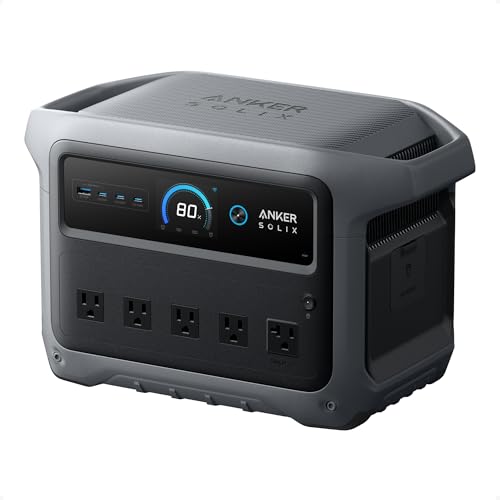
Anker SOLIX C1000 Gen 2
UPS switchover: 10 ms on all AC outlets (Anker)
Gen 2 ultra-fast ~49-minute charging, 2,000W output, 600W solar input — premium mid-capacity portable power.
Price: $529.99

EcoFlow Delta 3 Plus
UPS switchover: Under 10 ms (EcoFlow)
Mid-range versatile power station with 1,024Wh capacity, 1,800W output, 1,000W solar input, expansion to about 5kWh with an extra battery, and a mature app ecosystem.
Price: $719.00
Choose a dedicated UPS if…
- ✓ You need the fastest transfer and voltage regulation for a desktop or gaming PC
- ✓ You want USB auto-shutdown for a PC or NAS
- ✓ You only need a few minutes to save work, at the lowest price
Choose a power station with UPS mode if…
- ✓ You want Wi-Fi, a laptop and a monitor running for hours in an outage
- ✓ You'd also use it for camping or as outage power for a fridge or lights
- ✓ You'd rather have LiFePO4 than lead-acid batteries that need replacing every few years
You can also combine them: plug a desktop PC into a line-interactive UPS for instant bridging and AVR, and plug that UPS into a pure-sine power station for runtime, keeping the total load within the station's rating. Our power station vs UPS guide goes deeper on switchover times and PSU hold-up. On a tighter budget, the best solar generators under $500 include small UPS-capable stations; Anker lists a 10 ms UPS on the AC version of its C300 (see our Anker SOLIX C300 review), though retailer listings disagree on which C300 variants include it, so confirm on the listing before you rely on it.
APC vs CyberPower: Which UPS Brand?
APC (part of Schneider Electric) and CyberPower make most of the desktop UPS units sold in the US, and both sell standby, line-interactive and sine-wave lines. On the published specs for the models here, the practical differences are:
- Battery warranty: CyberPower's listings and spec pages give a 3-year warranty that includes the battery on all three CyberPower picks. APC's datasheets for the BE600M1 and BR1500MS2 list 36 months on the UPS and 12 months on the battery.
- Watts per 1500VA: CyberPower's sine-wave CP1500PFCLCD is rated 1000W; APC's sine-wave BR1500MS2 is rated 900W.
- Published runtime: CyberPower lists half- and full-load runtime in a table on each product page. APC shows a runtime graph and lists a 100W figure on its Amazon listings.
- Transfer time: CyberPower lists 4 ms typical; APC lists 6 ms typical (BE600M1) and 8 ms typical (BR1500MS2), 10 ms maximum.
We haven't found an independent, published reliability comparison between the two brands, so we don't rank them on reliability. Pick the model whose waveform, watts and outlets fit your setup.
Who Should Buy a UPS Battery Backup (and Who Should Skip)
Good fit
- ✓ Desktop PC and gaming PC owners who lose work when the power flickers
- ✓ Home offices that need the router and modem to ride through brief outages
- ✓ NAS and home-server owners who want automatic, clean shutdowns
- ✓ Areas with frequent brownouts, where AVR saves wear on equipment
Skip it if
- ✗ You want hours of backup for internet, a laptop or a fridge (get a power station)
- ✗ You only use a laptop, which already has its own battery (a small router UPS may be all you need)
- ✗ You want to run a laser printer, space heater or medical device from it
UPS prices move often and have historically dipped during Prime Day and Black Friday sales. Every price on this page loads live from Amazon.
UPS Battery Backup FAQ
What is the best UPS battery backup?
For most desktop computers, a 1500VA line-interactive UPS with AVR and sine-wave battery output is the safest choice. In our scoring the CyberPower CP1500PFCLCD ranks first: 1500VA / 1000W, sine-wave output that CyberPower lists as Active PFC compatible, six battery-backed outlets and a 3-year warranty that includes the battery. The CyberPower CP1500AVRLCD3 is the value pick, and the APC BE600M1 is enough for a router and modem.
What size UPS do I need for my computer?
Add up the watts of everything you will plug into the battery outlets (PC, monitor, router), then pick a UPS whose watt rating, not its VA rating, is comfortably higher. An office PC with one monitor usually fits a 600W to 900W unit. A gaming PC that can draw 400W to 600W under load should go on a 1500VA / 900W to 1000W UPS with sine-wave output. Running at half the rating also roughly doubles or triples runtime compared with full load.
Do I need a pure sine wave UPS?
If your computer has an active PFC power supply, which CyberPower links to ENERGY STAR-rated computers, a sine-wave UPS is the safer choice. CyberPower says active-PFC equipment may see the zero-output gap in a simulated sine wave as a power failure and shut down without warning, and APC says equipment that cannot run on a stepped wave requires a UPS that outputs a pure sine wave on battery. Routers, modems, monitors and most small electronics run fine on simulated sine.
How long will a UPS last during a power outage?
Minutes, not hours. CyberPower lists 10 minutes at half load and 2.5 minutes at full load for the CP1500PFCLCD, and 8.4 minutes at half load for the EC650LCD. Light loads run longer: APC rates the BR1500MS2 at up to 73 minutes at 100W. A desktop UPS is designed to bridge short blips and give you time to save and shut down. For hours of runtime, use a portable power station with a UPS mode.
What is the best battery backup for a router and modem?
A small standby UPS such as the APC BE600M1 is enough for most homes. APC rates it at 23 minutes at a 100W load, and a router plus modem usually draws far less, so it runs longer than that. If you want internet for hours rather than minutes during an outage, a small power station with a published UPS switchover, such as the EcoFlow River 3 Plus, keeps a typical router and modem running for several hours.
How often do UPS batteries need to be replaced?
Typically every three to five years. APC lists a battery life of 3 to 5 years on its BE600M1 and BR1500MS2 datasheets, and CyberPower says most UPS batteries have an expected life of 3 to 5 years, shorter in hot rooms. Most of our picks use a user-replaceable battery cartridge (APC APCRBC154 and APCRBC163, CyberPower RB1290X2E and RB1290X2), but CyberPower lists the EC650LCD battery as replaceable only by a qualified technician.
Is a power station with UPS mode better than a UPS?
For long outages, usually yes: a 1kWh power station runs a 100W desk setup for about 8 to 9 hours, where a 1500VA UPS gives roughly an hour at best. A dedicated UPS still wins on switchover speed (CyberPower lists 4 ms typical transfer on our picks), voltage regulation, USB shutdown signalling for PCs and NAS drives, and price. Many people pair the two.
What should you not plug into a UPS?
CyberPower lists laser printers, space heaters, copiers, paper shredders, vacuums and curling irons as devices that void its UPS warranty, along with high-drain devices, medical equipment, aquatic equipment and anything exceeding the unit's VA or watt rating. Put printers and other high-draw peripherals on a regular surge protector, and follow the device maker's guidance for medical equipment.